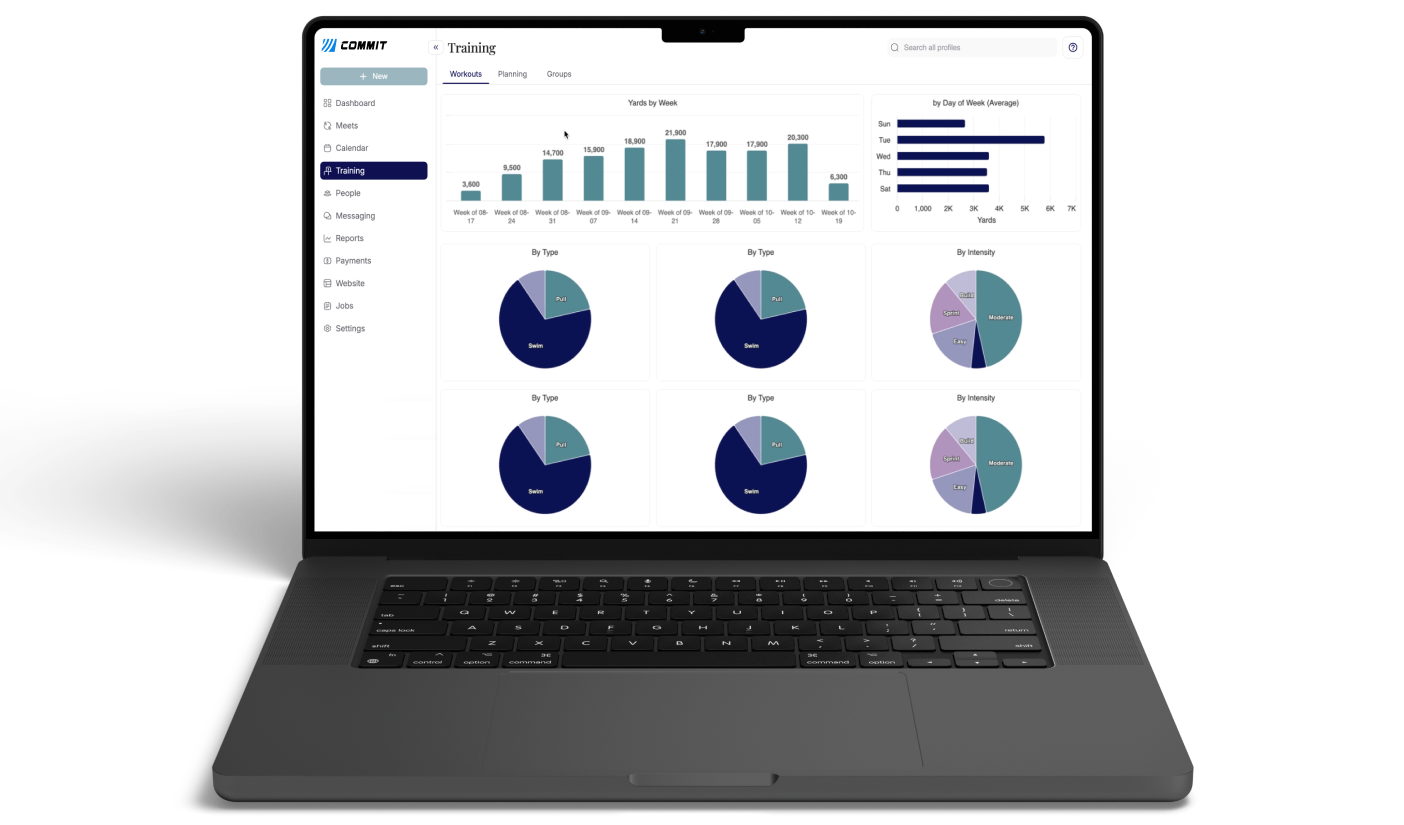
Team website
A club website that updates itself.
Records, top times, meet schedule, practice times and open programs come straight from Commit, so your site is never out of date. Edit any page like a document, and families sign up right from it.

Records and top times that update themselves
Families register and pay from your site
Your domain, colors and fonts



How it works
How does a Commit team website work?
Pick a look, stack the blocks you want, and point your domain at it. The blocks that show team data keep themselves current, so the site stays right without anyone babysitting it.
1. Pick a look
Choose a mood (Elegant, Minimal, Playful or Professional), add your logo and colors, and upload your own fonts if you have them.
2. Stack your blocks
About thirty of them: hero images, news, coach bios and FAQs, plus live ones like records, top times and the meet schedule.
3. Point your domain
Keep your own address, like www.yourteam.com. Swap the nameservers and the security certificate is handled for you.
Live team data
Do I have to update records and top times by hand?
Nope. Records, top times, the meet schedule, practice times and your open programs come straight from Commit. Import a meet's results and the new team record is on your site before the bus gets home.
- Record boards by event, age group and course
- Top times lists for your swimmers
- The meet schedule and your team calendar
- Programs that are open for registration right now
Registration
Can families sign up right from our website?
Yes. The Live Programs block lists whatever's open for registration. Families pick a program, choose a group, sign the waivers and pay, and they're on your roster without you typing a thing.
- Only shows programs that are open right now
- Lay them out as a grid or a list
- Monthly billing plans or pay in full
- New families land in the right group
Editing
Can anyone on staff update it?
If they can edit a doc, they can edit your site. Hover a block to edit it, move it or restyle it, add new ones from a search box, and check how it looks on a phone before you save.
- About thirty blocks, from hero images to FAQs and fundraisers
- Duplicate a block onto another page
- Desktop, tablet and phone previews
- Draft pages stay hidden until you publish them
Schedules
Can the site show practice times and our calendar?
It can, and they stay in sync with Commit. The Practice Schedule block shows each group's week, with a This week view for one-off changes. The calendar block has a Subscribe button, so families can add your schedule to their phone.
- Weekly, or This week with changes marked
- Filter by pool
- Subscribe with Apple, Outlook or Google Calendar
- Only what you've marked public shows up
Your brand
Will it look like our club?
That's the point. Pick a mood, then make it yours with your logo, colors and fonts, in light or dark. Need to tell everyone the pool's closed? Flip on a site-wide alert and it's at the top of every page.
- Upload your own fonts (.woff2, .woff, .ttf or .otf)
- Light and dark themes in your colors
- Sticky header, logo placement, rounded or square corners
- A contact form that goes to the staff you pick
The real screen
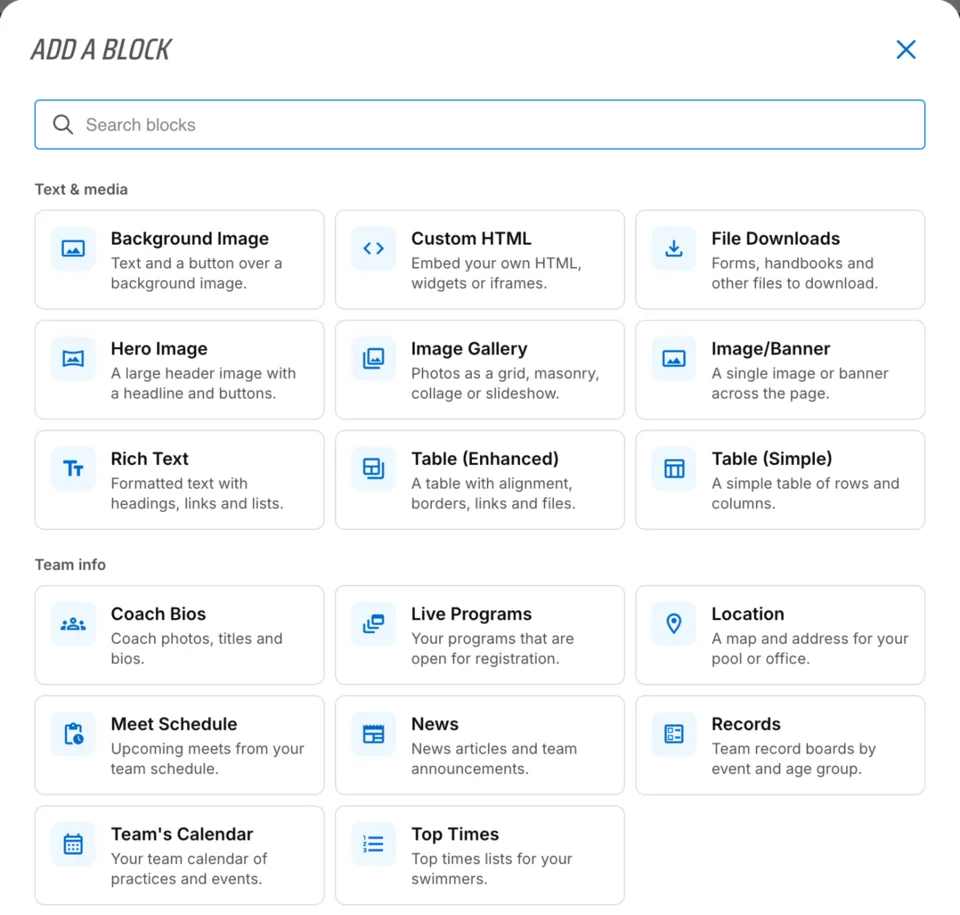
What blocks can I add?
Search for a block or pick one from the groups. Here's part of the list.
- Text and media: hero images, galleries, tables, files and custom HTML
- Team info: coach bios, live programs, meet schedule, news, records and top times
- Layout: buttons, card grids, stat bands and steps
- Engagement: FAQs, testimonials, contact forms and fundraisers
Everything else
What else comes with the team website?
News
Post team news, pin one to the top, and order posts by date or by hand.
Fundraiser block
Show your fundraiser's progress with a donate button.
SEO settings
Set every page's title and description for search engines.
Google Analytics
Paste your GA4 ID and see who's visiting.
In the Commit app
Turn on Website Link and families find your site right in their Commit menu.
Accessible by default
Keyboard-friendly menus, labeled forms and a skip-to-content link on every site.
From coaches and boards
What do clubs say about their Commit website?
We recently transitioned our website to Commit, and overall the experience has been very positive. The backend is clean, intuitive, and easy to navigate, which has made website management significantly more efficient for our team.
What really stands out is how user-friendly the website is.
The website is easy to use and any questions are answered clearly and quickly through step by step video instructions.
Questions
Team website questions
Which plan includes the website?
Team Premium, at $249 a month (or two months free when you pay yearly), includes your club website.
Can we keep our own domain?
Yes. Point your domain's nameservers at Commit and your site runs at your address, with the security certificate handled for you.
Will our team email break if we move the domain?
Not if you tell us first. Your mail settings come along when we know they're there.
Do I have to update records and schedules on the site?
No. Records, top times, the meet schedule, practice schedules, the calendar and open programs update from Commit on their own.
Can I add Google Analytics?
Yes. Paste your GA4 measurement ID under Website, Theme, Global and your live site starts reporting.
Can families find the site from the Commit app?
Yes. Turn on Website Link and it shows up in the parent menu, on the parent dashboard and in the app.
Your site, finally up to date.
Grab 45 minutes with us and we'll show you the builder, the live blocks and what your club's site could look like.

Records and schedules that update themselves
Registration right on your site
Switch mid-season without the headache