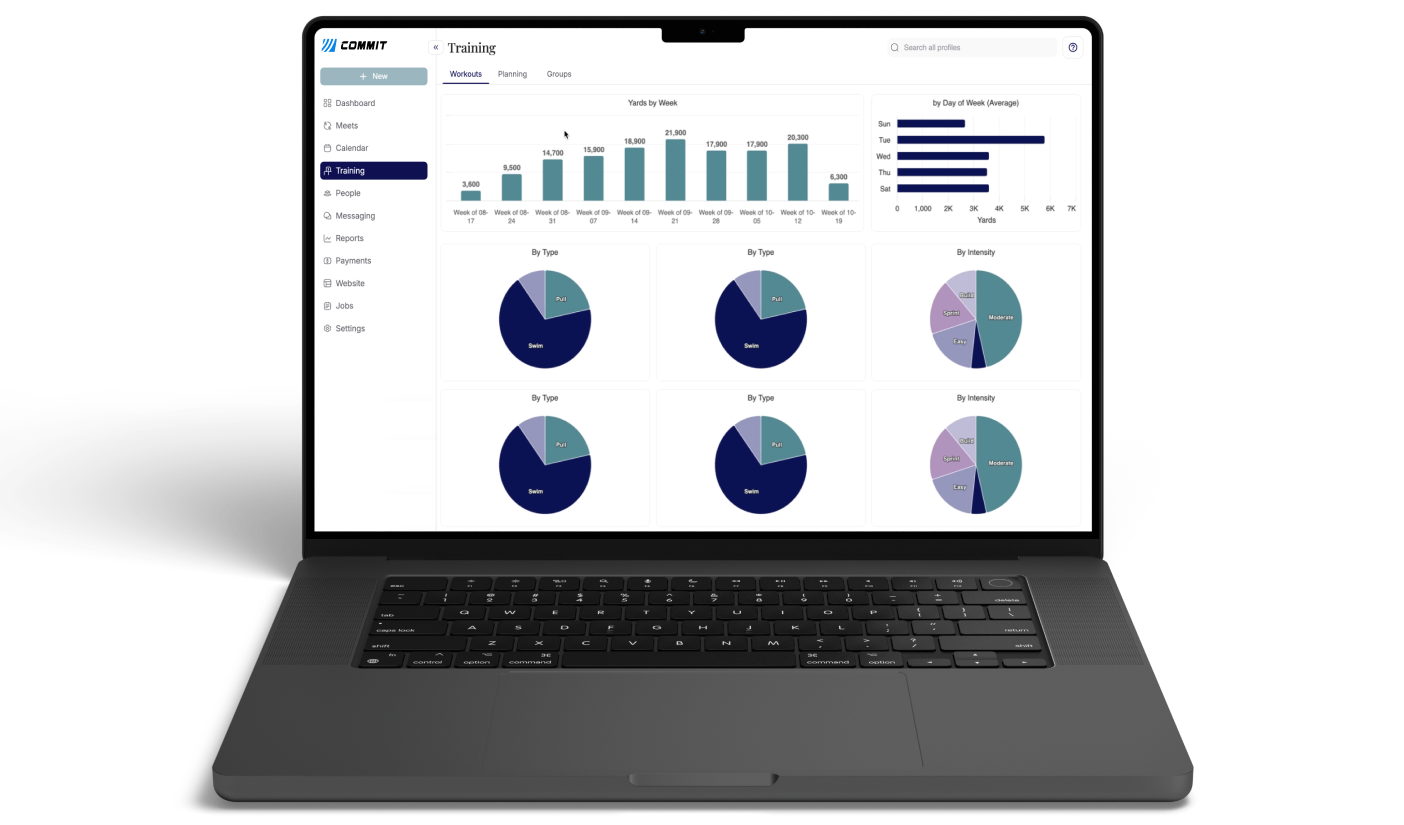
Team calendar
One calendar that's actually right.
Practices, meets, events and deadlines on one calendar for coaches and families. Set each group's week once, move a practice in seconds, and always know who's coaching.

Practices, meets and events in one place
Families RSVP (and pay) in a tap
Staff every practice, find cover fast



How it works
How does the team calendar work in Commit?
Set your practice week once and the rest fills itself in: meets, entry deadlines, events and volunteer signups. Families only see what's for their swimmers.
1. Set the week once
Pick the groups, the days, the times and the pool. Every practice shows up on coach and family calendars, all season long.
2. Families see their week
Each family sees their swimmers' practices, meets and events, RSVPs in a tap, and can sync it all to their phone's calendar.
3. Take attendance on deck
Tap the practice, tap who's there. Attendance counts in your reports, and the day's workout is one tap away.
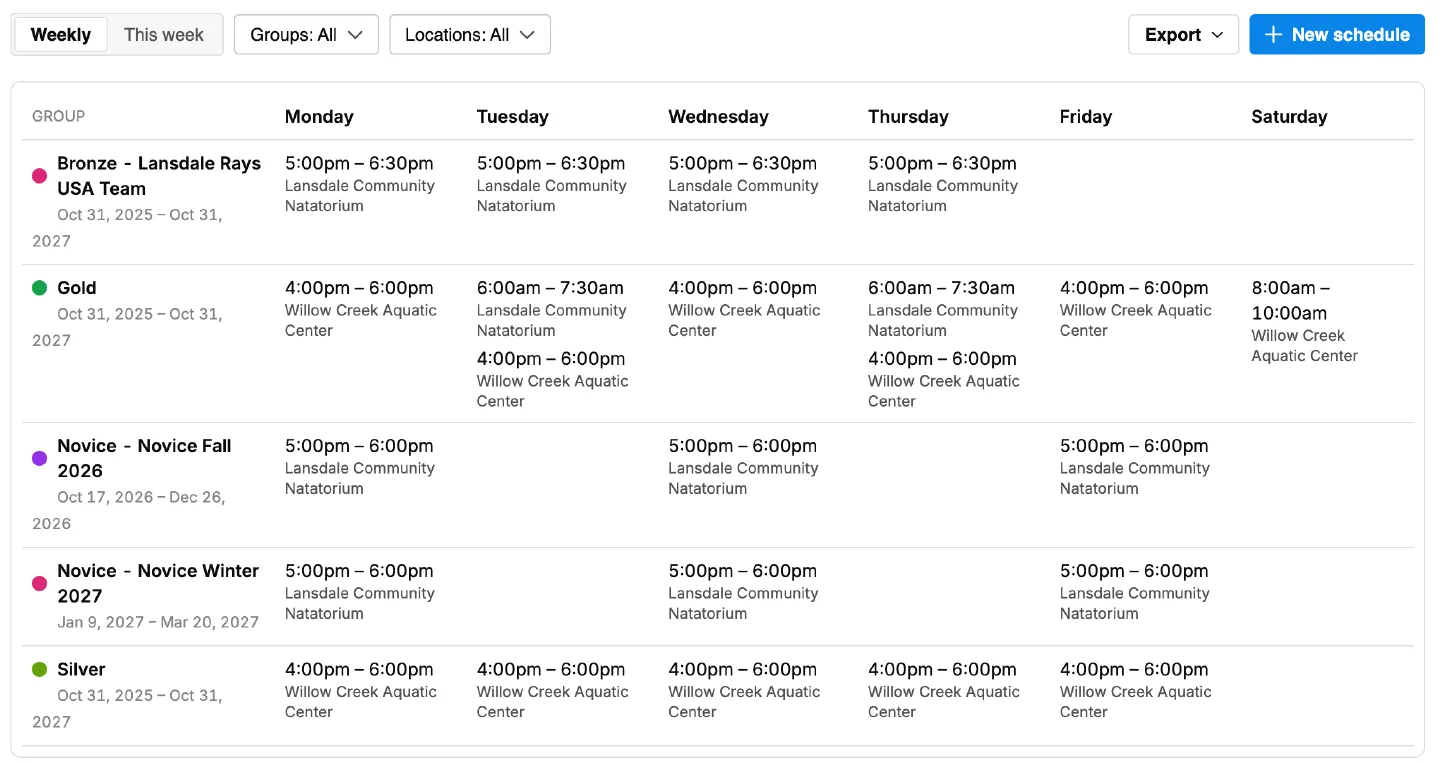
Practice schedules
Can I set our practice week once?
Yep, that's the whole idea. Add each group's weekly times and pool, and every calendar follows. Pool closed on Monday? Cancel that one day, tell families in the same step, and the rest of the season stays put.
- Change one day, or every week from that day on
- Canceled practices stay on the calendar, crossed out, so nobody shows up to a dark pool
- Print it, export it to Excel or PDF, or put it on your website
- Two groups sharing the pool show up as one block
Events and RSVPs
Can families RSVP, and pay for spots?
Sure. Aim an event at the whole team, a few groups or a handful of people, and turn on RSVPs. Families answer for each swimmer, add guests and answer your questions. Running a clinic? Put a price on it and cap the spots, and families pay when they reserve.
- Going, Not going or Not sure for each person, plus guests
- Reminders go out 3 days before RSVPs close, and again on the last day
- Already collected yeses? Bill everyone who said yes in one step
- Attach a PDF and choose who gets to answer
Staff schedule
Who's coaching Silver on Thursday?
Now you know. Put coaches on practices, meets and events once, and every week follows. When a slot's empty, Commit lists who's free and can work that position, with their hours this week, so you're not texting around.
- Positions like head coach, assistant coach, instructor or deck
- Just that day, or every practice in the series
- Post an open shift and let your staff grab it
- See the week by person, with hours (and estimated pay if you can see it)
Covers and hours
What happens when a coach can't make it?
They tap Can't make it on their shift and ask everyone who can cover, or one teammate. The shift stays theirs until someone takes it, and you approve it if you want to. Hours land in one place for pay, and coaches confirm their own.
- Covers on the web or in the Commit app
- Requests sorted into Needs you, Waiting on staff and Done
- Coaches confirm their hours each pay period
- Staff don't need a paid seat to get shifts
Calendar sync
Will it show up on my phone's calendar?
It will. Families and coaches copy one link into Google Calendar, Apple Calendar or Outlook, and team practices, meets and events show up next to everything else. Change a practice in Commit and their calendar catches up on its own, usually within a day.
- Pick what to include: events, practices, meets, deadlines and job signups
- Families only get their own swimmers' groups
- The Commit app always has the live schedule, no setup needed
- Your website can show the practice schedule and a Subscribe button
The real screen
What does the practice schedule look like?
Every group's week on one page. Switch to This week to see one-off changes, narrow it to a group or a pool, then print or export it.
- Weekly, or This week with changed (*) and added (+) days marked
- Filter by group or location
- Print it, or export to Excel or PDF
- Click a schedule to open and edit it
Everything else
What else is on the team calendar?
Saved views
Color by group, pool or type, and save the setups you use most.
Deadline reminders
Meet entry and registration deadlines on the calendar, with a heads-up 7 days out.
Notify families
Move, change or cancel something and send a push and an in-app alert in the same step.
Lane plans
Plan your lanes and sell extra sessions, like a stroke clinic or open lap swim.
Job signups
Volunteer job signups show up right on the calendar, next to the meet they're for.
Partial attendance
Credit ¼, ½ or ¾ of a practice for a swimmer who came late or left early.
From coaches and admins
What do clubs say about the calendar?
Having a robust team calendar and website that I can use to help manage parent activities has been a huge help.
When adding meets, they automatically populate both in a list format and on the calendar, which is great because different users prefer different ways of viewing information.
We use it for our attendance, roster management, automatic billing, calendar, website, and messaging app. Five stars all around!
Questions
Team calendar questions
Do families need the app to see the calendar?
No. They can see it on the web, in the Commit app, or in their own Google, Apple or Outlook calendar with a sync link.
Can I put our practice schedule on our website?
Yes. Turn on Show on the public website, then add a Practice Schedule block in the website builder. Your calendar block gets a Subscribe button too.
What if two groups share the pool at the same time?
They show as one block with a row for each group, so each coach can take attendance and write their own workout.
Do coaches need a paid seat to be on the staff schedule?
No. Anyone on your staff list can get shifts, ask for cover and log hours.
Can we charge for a clinic or a team event?
Yes. Set a price per spot and a cap, and families pay when they reserve. Or bill everyone who said yes, per swimmer, per family or per attendee.
Do changes notify families?
When you want them to. Tick Notify families when you move, change or cancel something, and they get a push and an in-app alert.
Fewer "what time is practice?" texts.
Grab 45 minutes with us and we'll walk through the calendar, practice schedules and staffing with your club in mind.

Practices, meets and events on one calendar
Staff schedule, covers and hours built in
Switch mid-season without the headache